Why Does a Meat Grinder Keep Clogging?
When a meat grinder keeps clogging, warm meat, sinew, or a poor knife-to-plate fit are the first things to check. Stop the motor, unplug the grinder, and clear the feed path before trying again.
On this page (10 sections)
- Why does a meat grinder keep clogging?
- How do you clear a meat grinder clog safely?
- Could a dull blade or plate be the cause?
- Does meat temperature make a grinder clog?
- Can incorrect assembly cause a grinder jam?
- Is your grinder too small for the batch?
- Which features help when a meat grinder keeps clogging?
- What mistakes make clogging more likely?
- How can you prevent another meat grinder clog?
- What should you do when a meat grinder keeps clogging?
When a meat grinder keeps clogging, warm meat, sinew, or a poor knife-to-plate fit are the first things to check. Stop the motor, unplug the grinder, and clear the feed path before trying again.
A clog can also follow rushed feeding, oversized pieces, or a plate that doesn't suit the job. Work through these causes in order: prepare the meat, check the cutting parts, then consider whether the grinder fits your batch size.
Why does a meat grinder keep clogging?
Warm meat, sinew, a dull knife, or a poorly fitted plate are common causes. Each can stop the knife from cutting meat cleanly through the plate.
Look at the output. Meat that smears or turns pasty can point to soft meat or cutting parts that aren't working together; a sudden slowdown or little output can mean tissue is wrapped around the knife or the plate is blocked.
Stop if the grinder slows or stops pushing meat through. Adding more meat can pack the blockage tighter and put extra strain on the motor.
What causes meat grinder clogging?
Sinew and tough connective tissue can wrap around the knife and restrict the cut. Trim away large, tough pieces before grinding, especially when the meat has visible tendons or silverskin.
Cut meat into strips or chunks that fit the feed tube without forcing them. Use the stomper supplied for your grinder, not your fingers, and let each piece clear before adding the next.
How do you clear a meat grinder clog safely?
Turn off and unplug the grinder before opening or cleaning it. Use reverse only if the grinder has that feature and its manual allows it for clearing a jam.
- Switch off the grinder and unplug it.
- Remove the tray and grinding head as the manual directs.
- Clear meat from the feed path, knife, and plate without forcing or prying.
- Rinse and dry parts as instructed.
- Check the knife and plate fit before reassembling.
- Restart with a small amount of cold meat and a steady feed.
Keep fingers and utensils out of the feed tube, even when the motor is off. The knife and plate have sharp edges, so handle them carefully.
If the clog returns, stop instead of repeatedly running the motor. Inspect the parts and assembly before feeding more meat.
Could a dull blade or plate be the cause?
A worn or dull knife can smear meat instead of cutting it cleanly. A damaged plate or a knife that doesn't sit flat against it can also reduce the grinder's output.
Inspect the knife and plate for damage, residue, or poor fit. Clean them and reassemble them in the order shown in the manual, with the knife's cutting edges facing the plate as specified.
Replace worn parts with parts that fit your grinder. See how to sharpen meat grinder blades and plates for care guidance, and replace a part if the manufacturer advises against sharpening it.
Does meat temperature make a grinder clog?
Cold, firm meat is easier to grind cleanly than warm, soft meat. Keep it chilled while trimming, and cut it into manageable pieces shortly before grinding.
If the meat starts to soften, pause and chill it again. Avoid leaving a large batch at room temperature while you work through several passes.
Some grinders allow you to chill the head or plates before use. Follow the manual for which parts may be chilled and how to dry them before assembly.
Can incorrect assembly cause a grinder jam?
Yes, a knife, plate, or collar fitted incorrectly can cause poor output and repeated clogging. A plate that isn't seated flush or a loose collar can keep the cutting parts from working together as intended.
With the grinder unplugged, take the head apart and reinstall the parts in the correct order. The meat grinder assembly instructions walk through the setup.
Tighten the collar as the manual directs. Don't force it beyond its intended fit, since overtightening can make removal difficult.
Is your grinder too small for the batch?
A grinder may clog if you feed meat faster than it can process it. Smaller grinders can need a slower pace and smaller batches, particularly with tougher cuts.
Feed pieces steadily and let the grinder clear each one before adding another. If larger batches are a regular job, compare grinder size and capacity with the advice in what size meat grinder do you need.
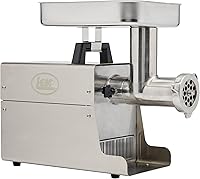
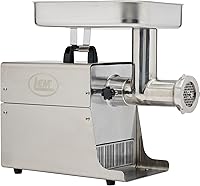
The LEM BigBite #8 suits small to medium batches, and its 0.5 HP motor is intended for regular home use. It is a sensible fit for burgers, sausage, or meal prep at that scale; skip it if you need to grind soft bones, since it isn't designed for them.
LEM describes this grinder as processing about 7 lb of meat per minute. That stated rate doesn't remove the need to trim sinew, keep meat cold, and feed at a steady pace.
For larger batches, the STX Turboforce II 4000 is a size #12 grinder with a 2 in feed tube and a high-capacity tray that holds more than 3 lb. It suits people who want a larger home grinder and several grinding and sausage accessories; skip it if you prefer a compact, simple setup or don't need its extra attachments.
STX says its output varies with plate size and the type of meat. Although it can handle some soft bones, its bone use is limited to the types described for the grinder, including chicken, rabbit, squirrel, and quail bones.
Which features help when a meat grinder keeps clogging?
Reverse can help clear some jams when the grinder's manual says to use it that way. It won't fix warm meat, a dull knife, or a head assembled incorrectly.
The AAOBOSI 3-Speed Touch Screen Grinder includes auto-reverse and a reverse mode. It suits home cooks who want a built-in way to address occasional jams and keep accessories organized; skip it if you prefer a grinder without electronic controls or need to run it continuously for long sessions.
AAOBOSI advises against continuous use over 10 minutes. Follow that limit and the manual's directions for using reverse.
The AAOBOSI Quiet DC Motor Meat Grinder also includes auto-reverse and three modes for grinding, sausage, and kibbe. Its quieter motor and compact size may suit a home kitchen where noise and storage matter; skip it if you want a grinder with a longer continuous-use window or need a clearly stated batch capacity.
Treat reverse as a clearing aid, not as a substitute for clean cutting parts and good preparation. If jams keep returning after cleaning and correct reassembly, check the manual or contact the manufacturer.
What mistakes make clogging more likely?
Forcing meat, feeding too quickly, and grinding it warm can turn a manageable slowdown into a stubborn blockage. Prepare the meat and grinder before switching the motor on.
Common mistakes include pushing oversized chunks into the tube, using fingers or an unsuitable utensil as a pusher, and continuing to feed meat after output slows. Another is reassembling the head without checking that the knife and plate sit together as the manual shows.
Don't assume a more powerful or larger grinder will solve every clog. A larger unit may suit bigger batches, but warm meat, sinew, and worn parts can still block it.
How can you prevent another meat grinder clog?
Trim tough tissue, keep meat cold, assemble the head correctly, and feed steadily. These steps address the most common causes before the grinder slows.
Choose a plate that suits the recipe and follow the grinder's instructions. Cut meat to fit the feed tube, avoid forcing it through, and stop if the motor slows or the output changes.
Clean the knife and plate soon after grinding, then dry and store them as directed. Replace damaged or worn parts with compatible ones.
What should you do when a meat grinder keeps clogging?
When a meat grinder keeps clogging, start with meat temperature, sinew, and knife-to-plate fit. Unplug it before clearing the jam, then check assembly and worn parts before changing grinders.
Pick the LEM for regular small to medium batches, the STX if a larger size and its included accessories suit your work, or an AAOBOSI model if reverse is a useful convenience. For more on cleaning and keeping the cutting parts sharp, read how to sharpen meat grinder blades and plates.
Frequently asked questions
Why does meat wrap around a grinder blade?
Meat can wrap around the blade when connective tissue and sinew don't cut cleanly, or when the blade is dull, damaged, or fitted incorrectly. Stop and unplug the grinder, then check the blade and plate.
Trim tough tissue from the meat and follow the grinder's manual for cleaning and assembly.
Should meat be cold before grinding?
Yes, keep meat cold and firm while you prepare and grind it. Warm, soft meat can smear and clog the plate more easily.
Chill the meat and grinder parts as the manual allows, and work in manageable batches so the meat doesn't sit out while you grind.
Can I use reverse to clear a meat grinder clog?
Use reverse only if your grinder has that feature and its manual says it is suitable for clearing a jam. Turn the grinder off before changing modes, and don't put fingers or tools into the feed tube.
Unplug it before taking apart the head to remove a stubborn blockage.
How do I know if my grinder plate is clogged?
A clogged plate often causes the grinder to slow, push out little meat, or produce a smeared texture. Turn it off and unplug it before checking.
Remove the head according to the manual, clear the holes with a suitable brush, and inspect the knife and plate for wear or incorrect fit.